AI Customer Success Agent

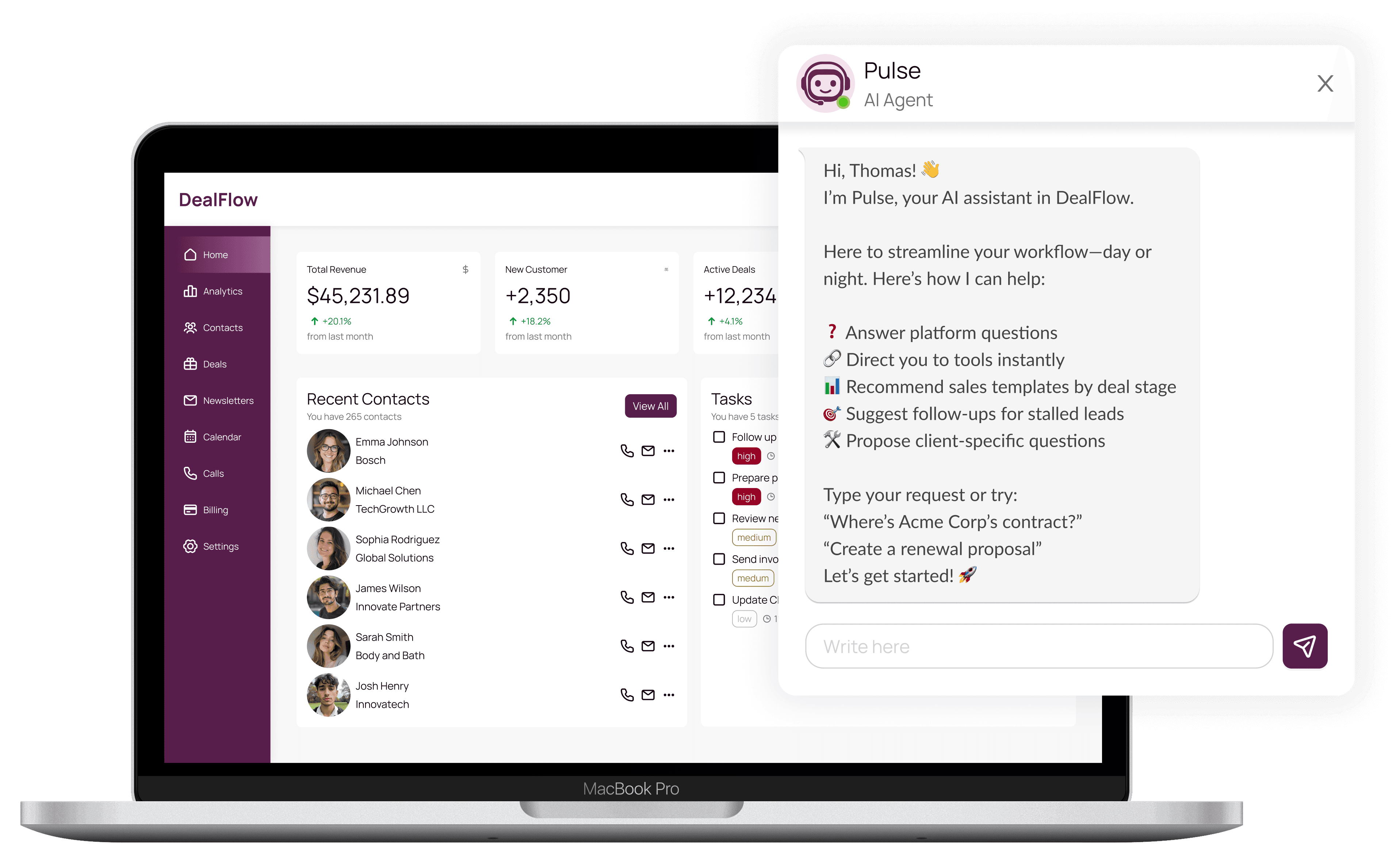
The Customer Success team was handling repetitive support tickets instead of focusing on strategic work. I designed an AI agent that solved both problems: clients got fast, automatic answers to their questions, and the team got their time back for high-impact work.

The Customer Success team was handling repetitive support tickets instead of focusing on strategic work. I designed an AI agent that solved both problems: clients got fast, automatic answers to their questions, and the team got their time back for high-impact work.

MY ROLE
Lead UX/UI Designer

TEAM
PM, Data Scientist, 2 Developers

TIMELINE
1 month | 2024

MY ROLE
Lead UX/UI Designer

TEAM
PM, Data Scientist, 2 Developers

TIMELINE
1 month | 2024

Index

The Customer Success team was overwhelmed by repetitive support tickets, answering the same questions instead of focusing on retention and expansion opportunities. Meanwhile, users wanted answers right away and they ignored the documentation because was not easy to find the information they wanted. So we asked ourselves:

The Customer Success team was overwhelmed by repetitive support tickets, answering the same questions instead of focusing on retention and expansion opportunities. Meanwhile, users wanted answers right away and they ignored the documentation because was not easy to find the information they wanted. So we asked ourselves:

How might we deliver instant, accurate answers to users without overloading the Customer Success team or building documentation nobody reads?

IMPACT

IMPACT

Response Time
Reduction achieved

Response Time
Reduction achieved

48h → 5min

Queries Resolved
Instantly by AI

Queries Resolved
Instantly by AI

50%

User Satisfaction
Maintained throughout

User Satisfaction
Maintained throughout

≥80%

APPROACH

APPROACH

RESEARCH

Competitive Analysis

Analyzed AI agents across platforms to identify proven interaction patterns.

INSIGHT

Core Principle

Users need speed and control, not advanced AI. Pulse suggests, never dictates, and has a clear escalation path when AI can't answer.

AI Behavioral Design

Defined Pulse's 5 core capabilities and failure protocols

Placement Strategy

Positioned in the top support menu: visible when needed, unobtrusive when not.

Interaction Model

Single input field with smart prompts, natural, fast and uncluttered.

EXECUTION

EXECUTION

Key trade-off:

  • AI scope had to be bounded (not ChatGPT-style open conversation)

  • We had design system limitations, instead of the expected fixed floating button placement, we needed to find a new place that was intuitive and wouldn't block the information on the boards.

OUTCOMES

OUTCOMES

KI 1: The goal was efficiency, not innovation theater. Users prioritized speed over sophistication and simple, fast answers outperformed impressive AI capabilities.

KI 1: The goal was efficiency, not innovation theater. Users prioritized speed over sophistication and simple, fast answers outperformed impressive AI capabilities.

KI 2: Control builds trust. Keeping users in charge of every interaction (Pulse suggests, users decide) maintained high satisfaction even when AI couldn't answer.

KI 2: Control builds trust. Keeping users in charge of every interaction (Pulse suggests, users decide) maintained high satisfaction even when AI couldn't answer.

KI 3: Bounded AI succeeds where open-ended fails. Defining clear capabilities and graceful failure paths created reliable value instead of unpredictable experiences.

KI 3: Bounded AI succeeds where open-ended fails. Defining clear capabilities and graceful failure paths created reliable value instead of unpredictable experiences.

LEARNINGS

LEARNINGS

This project taught me that AI works best when users stay in control and the AI has clear limits. The 1-month timeline forced me to focus on what mattered most—workflows that help people right away, not building every possible feature.

Next time, I'd start with a smaller group of users first to catch problems early, then improve the AI based on how people actually use it.

This project taught me that AI works best when users stay in control and the AI has clear limits. The 1-month timeline forced me to focus on what mattered most—workflows that help people right away, not building every possible feature.

Next time, I'd start with a smaller group of users first to catch problems early, then improve the AI based on how people actually use it.